
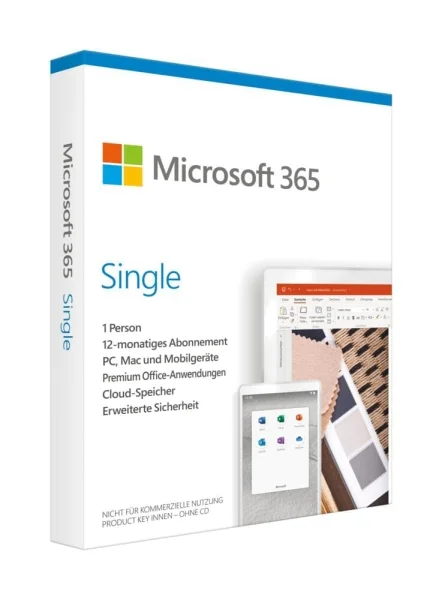



Microsoft 365 Personal version has been renamed Microsoft 365 Single
Microsoft 365 Single is a complete office suite for individuals who need a variety of Microsoft 365 Single software for personal or professional use. In terms of functionality, Microsoft 365 Single is identical to the more expensive versions. The main difference is that you only buy one product key for one workstation.
Included in Microsoft 365 Single:
- Word in Microsoft 365 Single is suitable for working with documents.
- Excel is a versatile tool for creating and managing spreadsheets.
- PowerPoint, as part of Microsoft 365 Single, makes it easy to create even complex presentations.
- Outlook helps you manage your contacts and various email accounts.
- Access is great for creating, expanding or managing your databases. (PC only)
- Publisher lets you create complex designs for brochures and similar documents. (PC only)
Due to the large number of separate programs, Microsoft 365 Single is also suitable for very high demands to get the job done faster and more efficiently, making your everyday life more productive. If you are switching from a previous version of Office 2007 or later, you will immediately understand Microsoft 365 Single due to its similar interface.
Key features in Microsoft 365 Single
- A new wizard will help you find your way around Microsoft 365 Single from now on.
- Use OneDrive to easily and efficiently share the documents you create with Microsoft 365 Single.
- Microsoft 365 Single subscription keeps you up to date with the latest versions of all your software.
- Use Microsoft 365 Single on your tablet or smartphone thanks to optional customizable touch compatibility.
- Use Microsoft 365 Single for a set period of time and don’t overpay.
Use Microsoft 365 Single anywhere and at any time
We make Microsoft 365 available for download. There is no physical media, and you can use Microsoft 365 Single anywhere you have an Internet connection to install Microsoft 365 Single. Since many software components are streamed during the Microsoft 365 Single installation, you can already use them even if the full package is not yet installed.
In addition, with Microsoft 365 Single, you are no longer tied to a specific device: You can use Microsoft 365 Single on Windows computers or macOS X devices. You can also use the apps on Windows, iOS or Android tablets. At the same time, when you purchase Microsoft 365 Single, you are entitled to all future Office updates. With Microsoft 365 Single, you always use the latest and fastest versions of the Office suite.
OneDrive and Microsoft 365 Single: work online!
With Microsoft 365 Single, you opt for a subscription: buy Microsoft 365 Single and use it for as long as you like. When you no longer want to use Microsoft 365 Single, cancel your subscription. You only pay for the time you actually need it. With Microsoft 365 Single, you also get access to 1 terabyte of free storage in Microsoft OneDrive cloud storage. You can easily archive documents created with Microsoft 365 Single online and/or share them with friends, acquaintances and colleagues. In addition, with a Microsoft 365 Single subscription, you get 60 minutes of Skype per month on a German landline.
You can buy Microsoft 365 Single and enjoy the following benefits
One solution for you – usable across devices. Includes premium Office apps for PC or Mac for 1 user.
- For 1 person and 5 devices
- For use on multiple PCs/Macs, tablets and smartphones (including Windows, iOS and Android*)
- Premium versions of Word, Excel, PowerPoint, OneNote and Outlook (for PC only)
- 1TB of OneDrive cloud storage with enhanced security
- Editdocuments online with others
- Technical support from Microsoft experts via chat or phone
- Important! You can decide yourself if you want to renew your Office product after 1 year term. It does not include automatic renewal.
For iOS and Android, the app must be downloaded separately.
Microsoft 365 Single main features
Achieve optimal work results. Microsoft 365 Single includes Word, Excel, PowerPoint, Outlook, and more. Work anywhere with apps that are always updated.
What is Microsoft 365 Single?
A Microsoft 365 Single and Family subscription includes everything users know about Office 365 – including Office apps
What does Microsoft 365 Single for 1 user mean?
That means when you switch to Microsoft 365 Single, you can use Office on 5 devices at once and you may not share your subscription with anyone else.
What does a one-year license mean?
A one-year license entitles the owner to use the software for one year. If you have a subscription, the license key is automatically renewed for another year
Office 365 Highlights
3D in Office apps
Use 3D to enhance the creativity and visual impact of your documents, presentations, and reports. Add 3D models from your desktop or from Remix 3D – the new online community with millions of 3D objects you can use.
Ink Editor in Word
Easily addannotations to your documents with your digital pen, and edit documents right on the screen. Erase words by crossing them out, circle text to select it, automatically highlight text, and turn drawings into shapes with a simple touch.
Editor in Word
Word provides advanced correction and editing tools to improve your writing style. Thanks to machine learning and natural language processing along with input from our linguists, Editor can suggest improvements.
Be the first to review “Microsoft 365 Single”
Related products
Office 365
Office 365

Reviews
There are no reviews yet.